With self-service POS, you let customers check out entirely on their own using their own phones—without a staffed checkout lane and without any additional hardware. The solution runs in the phone’s browser on your own domain via a secret URL, which you share via a QR code displayed next to the products. The customer scans a barcode or searches for the item, adds it to the cart, and pays online. You can sell right where you are, and you don’t have to tie up an employee at the register.
Here’s how it works: scan, search, and pay
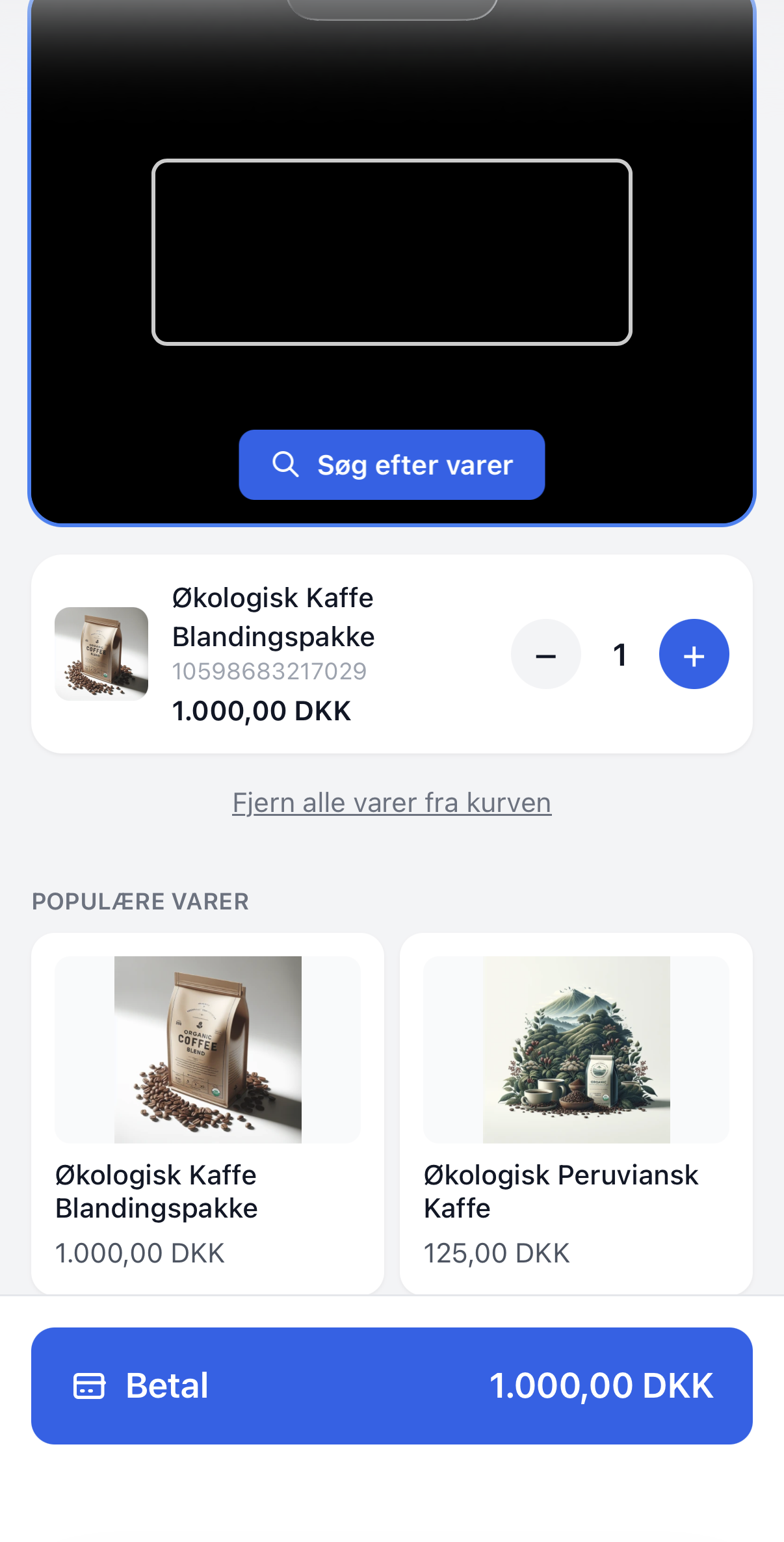
You print a QR code in the admin panel and place it next to the products, on a stand, or at the entrance. The customer scans the code with their camera and is taken to your self-service page in the browser, without having to install an app. From there, shopping is straightforward:
- Scan the product’s barcode with your phone’s camera, and it goes straight into the cart.
- Or search for the item by name if it doesn’t have a barcode.
- Review the cart and pay online right away.
The receipt appears on the screen immediately. The customer can optionally enter their email address to receive an order confirmation or invoice, just like with a regular order. If the customer wishes to remain anonymous, the receipt will not display any personal data.
The right prices, every time
The price at the self-service kiosk is exactly the same as in your online store, because the self-service POS uses the exact same pricing engine. There’s no separate price list to keep updated, and no risk of the checkout and online store getting out of sync. The customer automatically receives:
- Special offers and promotions currently running in the online store.
- Volume discounts and bundle deals when the conditions are met.
- B2B prices and group rates when the customer is logged in.
Payment methods you choose yourself
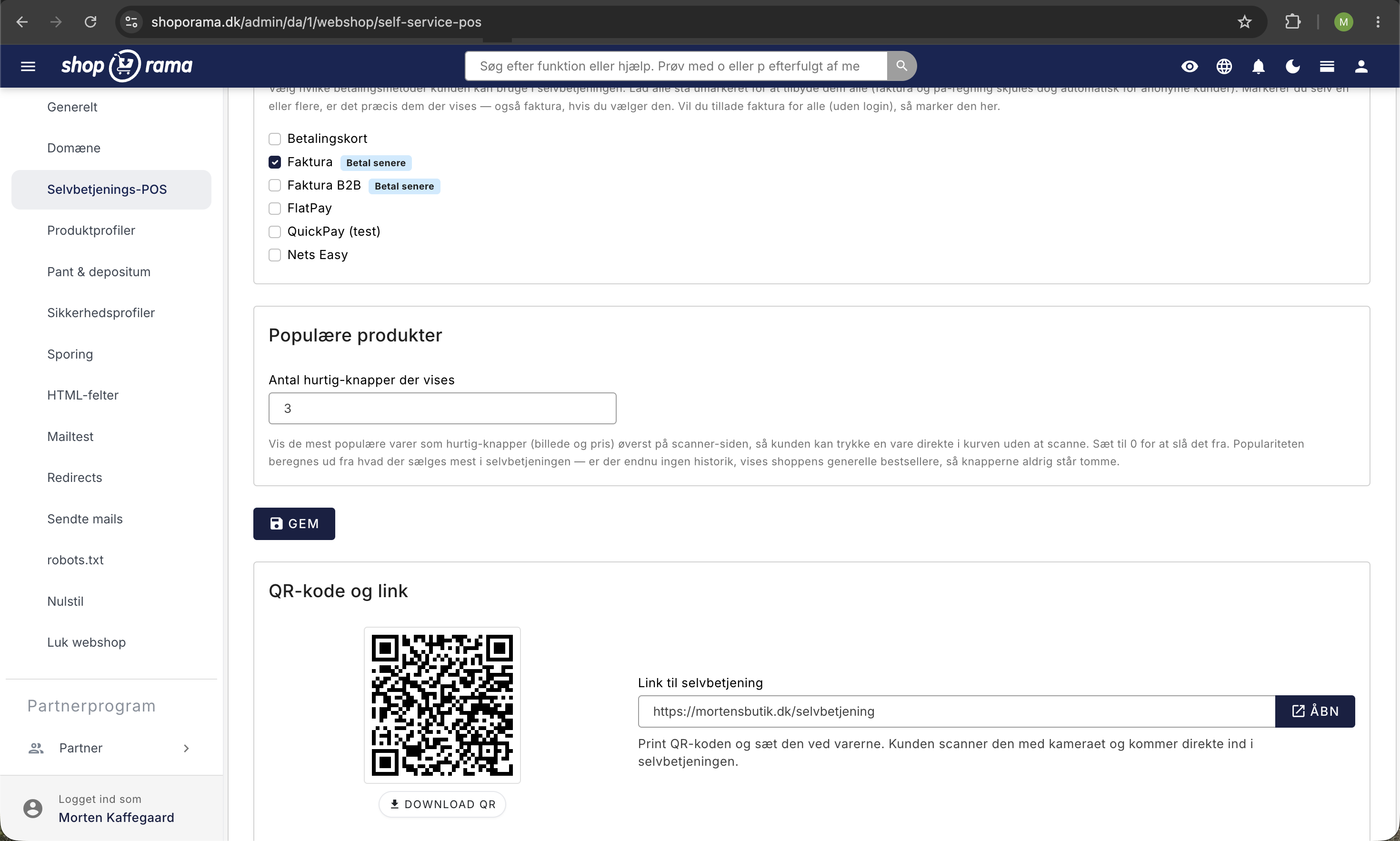
You control exactly which payment methods the self-service portal offers. Enable the gateways that suit the situation, and leave the rest as is. Invoicing and “pay later” are hidden from anonymous customers by default for security reasons, but you can enable them if, for example, you want to use the self-service portal as a trusted business terminal for known customers. This way, you decide the balance between openness and control.
Shortcuts to the best-selling items
To make the process even faster, you can display a number of quick-select buttons with images and prices for your best-selling items. This allows customers to add a popular item directly to their cart without having to scan or search. You choose how many buttons to display, and if you set the number to 0, you disable the feature. If you don’t have any sales history yet, the self-checkout automatically displays the store’s general bestsellers until your own data starts to accumulate.
Variants, Sizes, and Colors
The self-service POS handles variants with ease. When the customer scans the barcode of a specific variant, that exact variant—the correct size or color—is added to the cart. If the customer searches for or taps a variant item instead, a small list appears where they can select the size or color before adding the item to the cart. This ensures that the correct product is always sold and deducted from inventory.
B2B and Business Customers with Custom Prices
If you sell to businesses, your customers can log in to the self-service portal and shop at their own prices or group prices. If you want to turn the self-service portal into a business-only terminal, you can enable an optional login requirement so that only known customers can shop. This is ideal for a cash-and-carry warehouse or a wholesaler, where all customers are already registered.
Where does self-service make sense?
Self-service POS is designed for situations where a permanent, staffed checkout is too cumbersome, too expensive, or simply unrealistic. Some specific examples:
- B2B warehouses and reordering. A warehouse worker scans items that are running low and places an order at the company’s own prices without having to return to a computer.
- Wholesalers and cash-and-carry stores. Business customers pick their own items from the warehouse, scan their goods, and pay at the exit—ideally after logging in.
- Farm stands and roadside stalls. Customers pay themselves on their phones, even when no one is at the stall.
- Markets, trade shows, and events. Place a QR code next to the items and let people shop on their own, without having to wait in line at a single checkout.
Regardless of the situation, the sale is processed as a regular order in Shoporama, complete with inventory tracking, statistics, and accounting. Orders are marked with a custom order label of your choice, so you can easily filter out self-service sales in the admin panel and keep track of what’s been sold and where.
Get started in just a few minutes
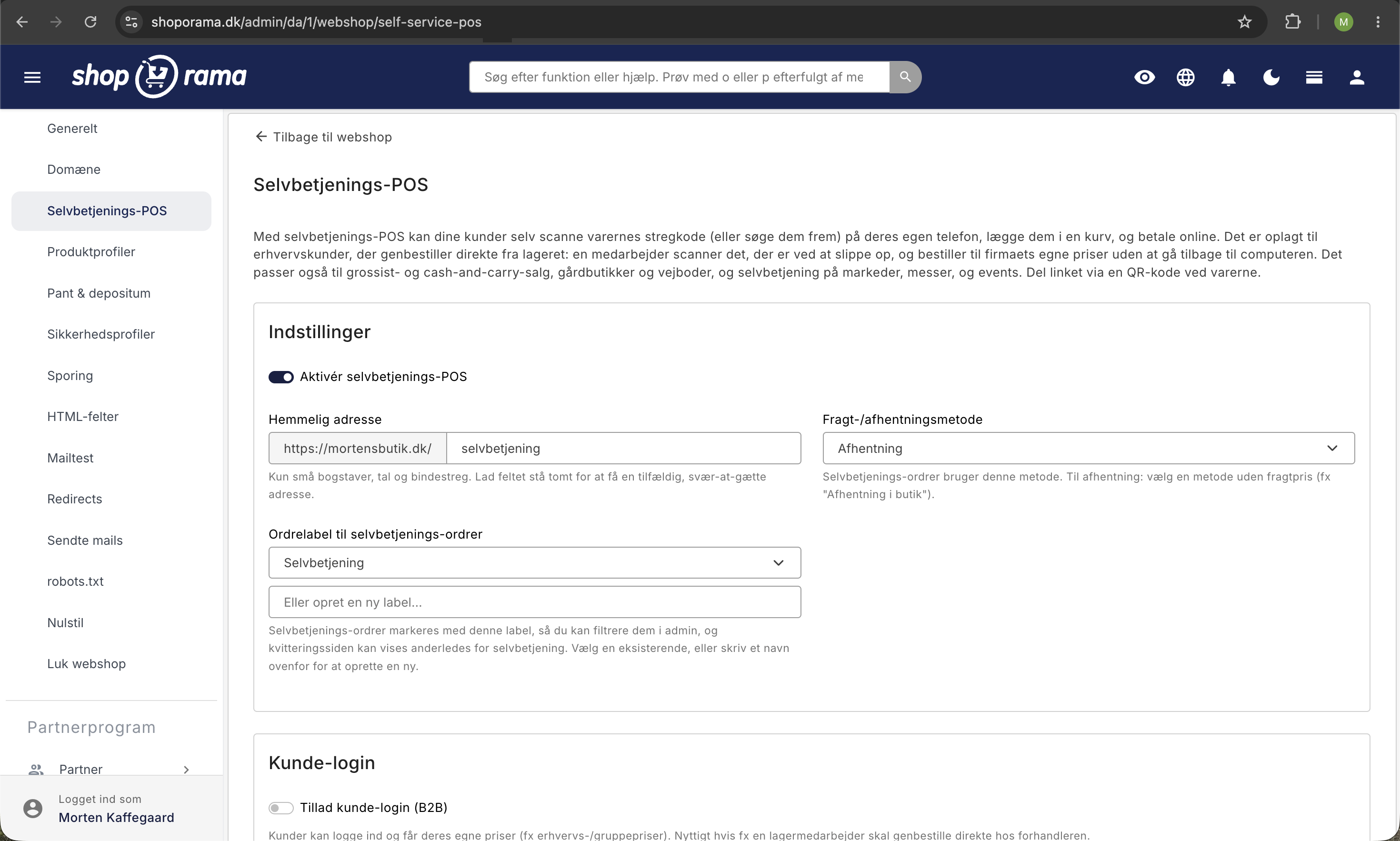
You set it all up in one place. Go to Webshop and Self-Service POS, enable the feature, and assign it a secret address—or let the system generate one for you. Select a shipping or pickup method, choose an order label for self-service orders, and select the payment methods you want to offer. Finally, retrieve your QR code and link, print them out, and set them up next to the products. Your self-service checkout is now ready, and your customers can check out on their own phones. If you have any questions along the way, feel free to email support@shoporama.dk.
Frequently Asked Questions
Do my customers need to download an app, or do I need to buy new equipment?
No. Everything runs in the phone’s browser, so there’s no app to install, and you don’t need to buy scanners or any other equipment. The customer uses their own phone, opens the camera, and scans the item’s barcode—or searches for the item manually. It’s that simple.
How do customers find the page, and how do I share it?
Your self-service POS has a secret URL that’s hard to guess, so it won’t just be found by accident. You share it via a QR code that you place next to the items. The customer scans the code with their phone and gets started right away.
Are the sales properly recorded in inventory and accounting?
Yes. The orders are processed just like regular orders, so inventory is automatically deducted, and they’re included in statistics and accounting in exactly the same way as your online store orders. They’re labeled so you can easily filter them out in the admin panel if you want to view self-service sales separately.
Does it use the same prices and promotions as my online store?
Yes, it uses the same pricing engine as the online store. This means that special offers, volume discounts, bundle deals, and promotions work exactly the same way. Customers always see the store’s actual price, and B2B prices are applied if the customer is logged in.
Can my regular business customers log in and see their own prices?
Yes. B2B customers can log in to view their own prices or group prices. You can also require a login, turning the terminal into a business-only terminal. And you can allow invoicing or “pay later” options specifically for them, even if those options are hidden from anonymous customers.
Does the customer need to provide an email address and personal information to make a purchase?
No, it’s completely optional. The customer can enter their email address to receive an order confirmation and invoice, just like with a regular order. If they don’t want to, they can simply use the on-screen receipt, and an anonymous receipt does not display any personal information.
What payment methods can I offer, and what about anonymous customers?
You choose which payment methods to make available. Credit cards are processed online. Invoicing and “pay later” options are hidden from anonymous customers by default, but you can enable them—for example, for a trusted business terminal where you know your customers.
Does it work with variants such as size or color?
Yes. The customer can scan the barcode on the specific variant or select the size or color from a list. If you sell a lot of the same items, you can display them as quick-add buttons so the customer can add the item directly to the cart without scanning at all.