Price history and the Omnibus Directive
Shoporama automatically logs price changes and calculates the correct pre-price according to the Omnibus Directive (EU 2019/2161). The default themes support it as a theme setting, and custom themes can use getLowest30DayPrice().
Hvad er Omnibus-direktivet?
Omnibus-direktivet (EU 2019/2161) er implementeret i Danmark via markedsføringslovens §9a. Reglen er enkel: Når du annoncerer en prisnedsættelse, skal du vise den laveste pris, du har anvendt i de seneste 30 dage før nedsættelsen.
Hvis du fx sætter en vare ned fra 500 kr. til 399 kr., skal den overstregede "førpris" være den laveste pris varen har haft i de seneste 30 dage — ikke nødvendigvis den normale listepris.
Forbrugerombudsmanden håndhæver reglen aktivt, og overtrædelser kan resultere i bøder.
Sådan hjælper Shoporama
Shoporama logger automatisk alle prisændringer på dine produkter — uanset om ændringen sker via admin, CSV-import, REST API eller automatiske feeds. Loggen bruges til at beregne den korrekte førpris (laveste pris i de seneste 30 dage).
Funktionen består af tre dele:
- Automatisk prislogning — Alle prisændringer (normalpris og tilbudspris) logges med tidsstempel
- 30-dages beregning — Systemet beregner automatisk den laveste pris fra de seneste 30 dage
- Visning i temaet — Førprisen vises automatisk i standardtemaerne
Aktivér prislogning
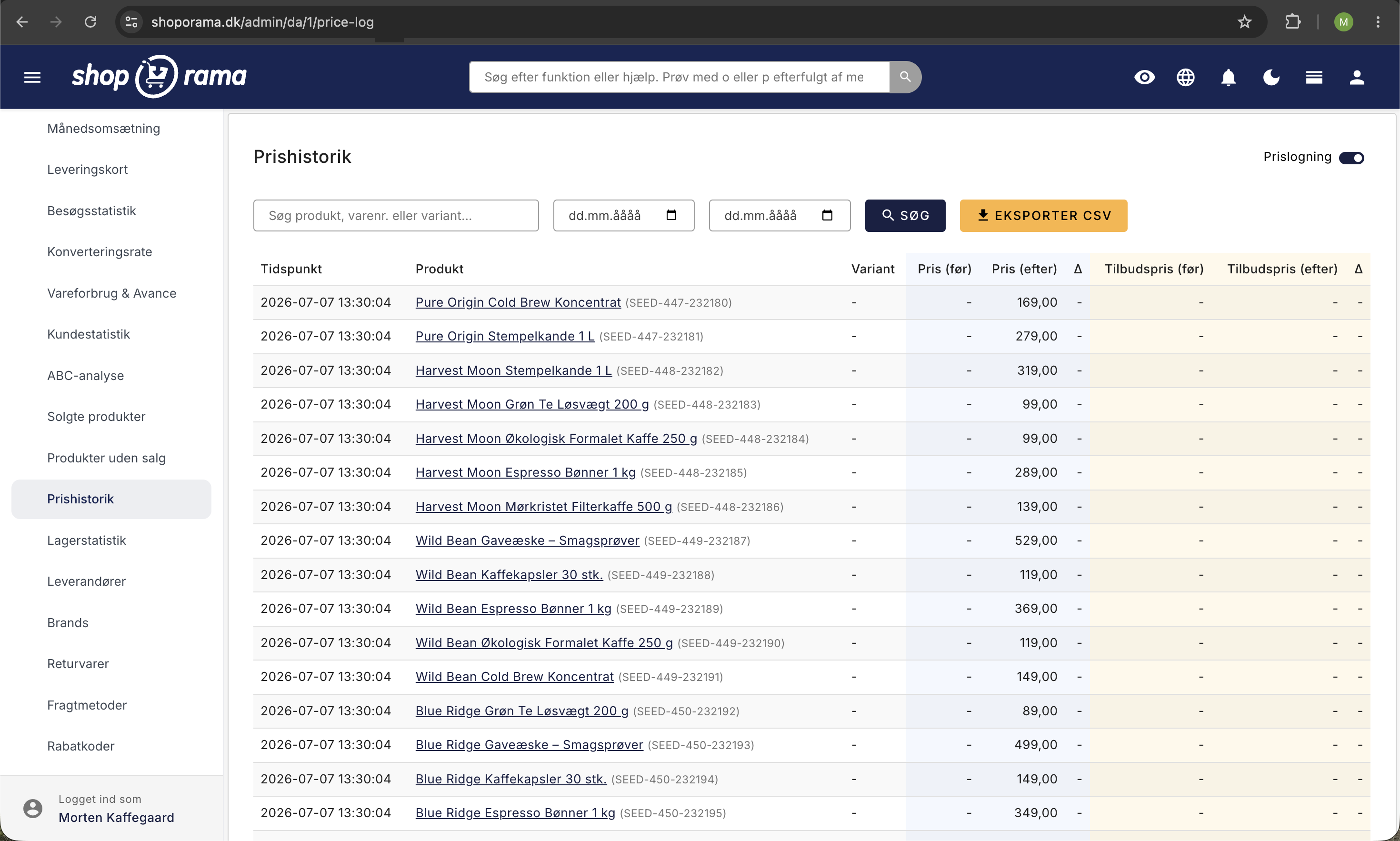
Prislogning skal først aktiveres for din webshop. Gå til Statistik → Prishistorik i administrationen og slå Prislogning til. Herefter logges alle prisændringer automatisk.
Vis førpris i dit tema
Hvordan førprisen vises afhænger af, om du bruger et af Shoporamas standardtemaer eller et brugerdefineret tema.
Standardtemaer (Delaware, California, Alaska2)
Hvis du bruger et af Shoporamas standardtemaer, kan du aktivere førpris-visningen via en temaindstilling. Gå til Design → Temaindstillinger og find indstillingen:
- Vis førpris iht. Omnibus-direktivet — Slå denne til for at vise den beregnede førpris automatisk
Når indstillingen er aktiv, og et produkt har en tilbudspris, vises førprisen automatisk på to måder afhængigt af situationen:
- Førprisen er højere end tilbudsprisen: Den overstregede pris erstattes med den laveste pris fra de seneste 30 dage. Fx:
450 kr.399 kr. — hvor 450 kr. er den beregnede førpris - Førprisen er lavere end eller lig med tilbudsprisen: Den normale prisvisning bibeholdes, og en ekstra linje vises under prisen: (Laveste pris seneste 30 dage: 350 kr.)
Hvis der endnu ikke er prishistorik (fx for nye produkter), vises den normale listepris som førpris.
Brugerdefinerede temaer
Hvis du bruger et brugerdefineret tema, skal du selv tilføje visningen i dine templates. Brug følgende Smarty-kode der hvor den overstregede pris vises:
<{if $product->getSalePrice()}>
  <{$lowest = $product->getLowest30DayPrice()}>
  <{if $lowest}>
    Førpris: <{$lowest|number_format:2:",":"."}> <{$webshop->getCurrency()}>
  <{/if}>
<{/if}>
Metoden getLowest30DayPrice() returnerer den laveste normalpris eller tilbudspris fra de seneste 30 dage inkl. moms. Den returnerer null hvis der ingen prishistorik findes — i så fald kan du falde tilbage til den normale listepris.
Prishistorik i administrationen
Du kan se hele prishistorikken under Statistik → Prishistorik i administrationen. Her kan du:
- Søge efter produkt, varenummer eller variant
- Filtrere på datoperiode
- Se gamle og nye priser med farvekodning
- Eksportere til CSV (til dokumentation ved evt. tilsyn)
Hvad logges?
Prislogningen dækker:
- Ændringer af normalpris og tilbudspris
- Variantspecifikke prisændringer
- Ændringer fra alle kanaler: admin, import, REST API, prisfeeds
Loggen dækker ikke kampagnerabatter der beregnes dynamisk i kurven, mængderabatter, loyalitetsprogrammer eller personlige rabatkoder — da disse ikke er "annoncerede prisnedsættelser" i lovens forstand.
Læs mere om reglerne
- Forbrugerombudsmandens retningslinjer for prismarkedsføring — Den officielle guide med eksempler og regler
- Priser og besparelsesudsagn — Forbrugerombudsmandens overblik over reglerne
- Markedsføringsloven (LBK nr 866 af 15/06/2022) — Den fulde lovtekst inkl. §9a om prisnedsættelser
- DI Handels guide til prismarkedsføring — Praktisk guide fra Dansk Industri
Har du spørgsmål?
Kontakt os på support@shoporama.dk hvis du har spørgsmål til prishistorikken eller Omnibus-direktivet.
Related features
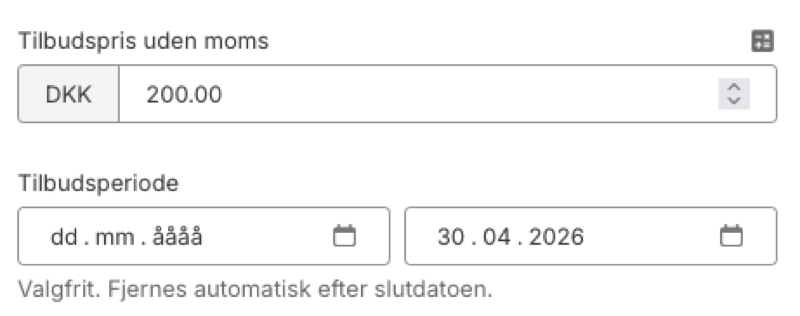
Plan Black Friday now: Deals that turn themselves on and off
Set start and end dates for your offers in Shoporama. The system automatically activates and stops the sale price, also in your Google Shopping feed.
Price history
Automatically track price changes with full Omnibus compliance. Show lowest price for the last 30 days and comply with EU legislation.
Statistics and analytics
Dashboard, revenue, profit margin, ABC analysis and more. Shoporama's built-in statistics tools give you insights to run your online store profitably.