Now, AI can correct the text in your online store
Claude has added two new tools in Shoporama, so the AI can correct the text you’ll find under Design, Theme, and Text. This includes all buttons, labels, error messages, and the text in your order emails. You simply request the change in plain language, and it goes live immediately. Here’s what it can do and what you should keep an eye on.
If you’ve ever tried to launch your online store in a new language, you know the feeling. There are hundreds of small pieces of text, and you have to go through them all.
Here’s how to change text in your online store without opening a CSV file
The texts under Design, Theme, Texts are the words provided by your theme itself. “Add to Cart,” “My Account,” “Your order has been received,” plus all error messages, field labels, and the text in the emails the store sends. A typical store has several hundred of these. Until now, you could edit them directly in the admin panel—25 at a time—or download a CSV file, edit it in a spreadsheet, and import it again. Both methods work fine. Neither is much fun when the entire store needs to be in German.
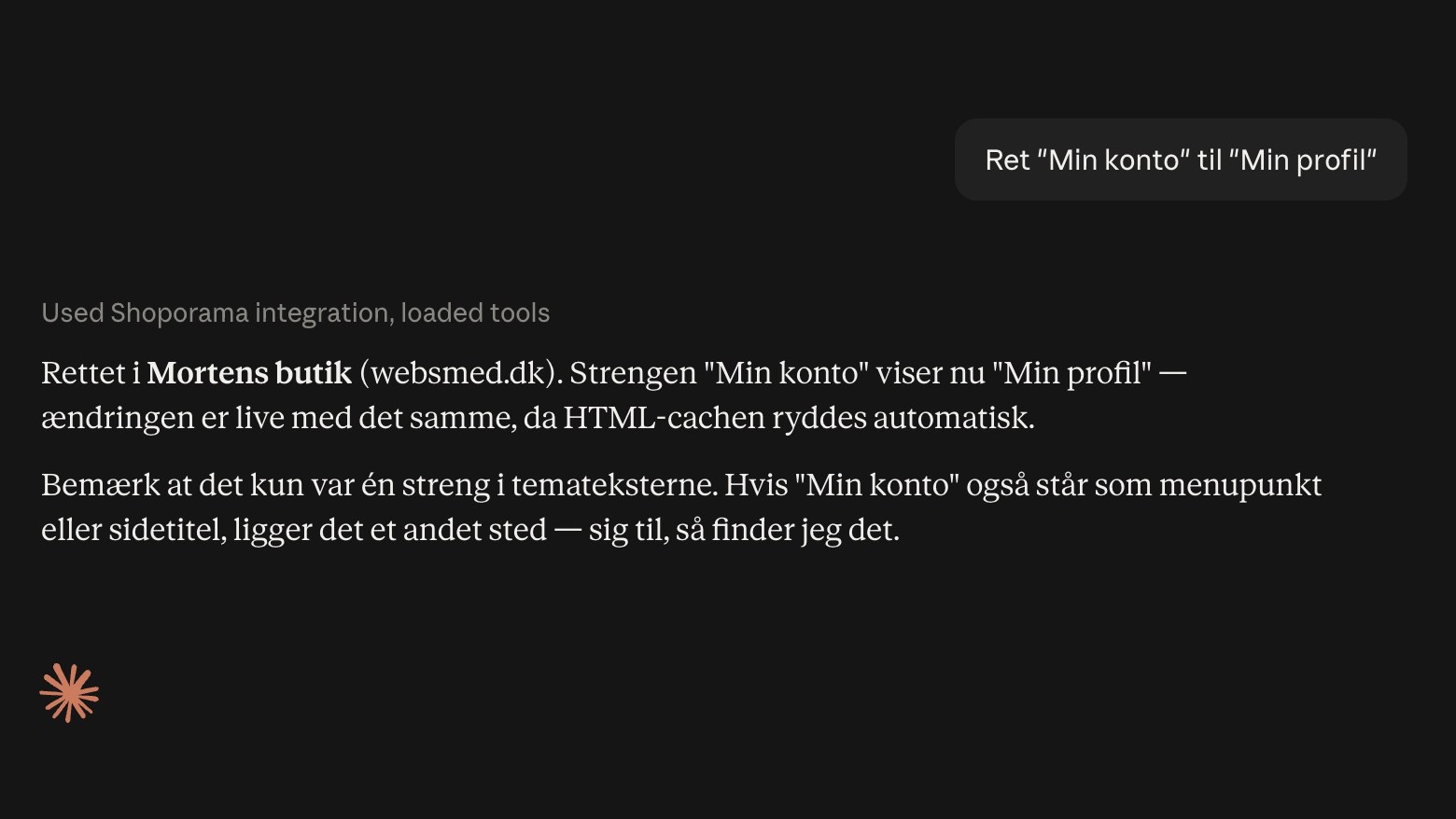
Now you can ask Claude to do it instead. The AI has gained two new tools: one that reads the list of texts, and one that writes the translations back. You type “translate all untranslated texts to German,” and they’re translated. You type “change ‘My Account’ to ‘My Profile,’” and the string is found and corrected. The change goes live immediately because the store’s page cache is automatically cleared. You don’t need to do anything afterward.
If you haven’t connected the AI to your store yet, the procedure is outlined in the guide for Claude and MCP. If you’d rather edit the texts manually, as you usually do, you can still do that—it’s described in “Translate and Customize Texts in Your Web Store.”
There’s one requirement: your theme must support multiple languages. The texts will only appear if the theme is built to allow for translation, and this applies to all of Shoporama’s built-in themes. Montana and Delaware have about a thousand texts ready to go, California has around six hundred, and Washington has a couple hundred. If you’re using an older theme or one that was custom-built for you, it depends on how the theme was built. The quick test takes half a minute: go to Design, Theme, Texts. If the list is empty or very short, your theme isn’t set up for this yet, so the theme needs to be customized first. Your theme builder or our support team can help with that.
Emails are the ones that get overlooked
When translating manually, you start with the homepage and the shopping cart, because those are the parts you can see. The order confirmation, “Your order is now on its way to you,” and the return label are invisible until a German customer receives a Danish message about their package. In our own test store, there are 270 text strings that appear only in emails. They’re included here, on the same footing as the rest, so they’re handled all at once.
It’s precisely these email texts where you need to pay the most attention to the placeholders. Some texts contain fields like {order_id} or {webshop_name}, which the shop itself replaces with the correct value after the translation has been applied. They must remain exactly as they are; otherwise, the value will disappear from the email. Claude has been instructed on this, but please review the order confirmation after a large batch has been processed.
Three things worth knowing in advance
A text is the same everywhere. The text is its own key, so a single correction takes effect everywhere it appears. If you correct a generic word like “Close,” “Yes,” or “Read more,” it changes throughout the entire store at once. That’s usually what you want, but it’s worth knowing before you do it.
There is no undo button. The text does not have a version history. If you’re planning a major translation update, export the CSV file first so you have the original on hand. If you want to undo a single piece of text, you can request that the translation be removed, and the store will revert to the theme’s default text.
A text string only appears once it has been displayed. The list is built as pages are visited. If a string is missing, it usually means that the page it’s on hasn’t been viewed yet—not that something is broken. "Translate All" therefore translates everything the store recognizes, and a single Danish text may well appear later.
What It Doesn’t Affect
The tools are limited to the theme’s texts. Product descriptions, category descriptions, menu items, page titles, and blog posts are located elsewhere and have their own tools. The same applies to the texts you’ve entered yourself under Theme Settings. The original text itself cannot be changed here either—only the translation—because the original comes from the theme.
You also control access yourself. You can grant Claude read-only access if it’s just supposed to look things over, and you can disable the entire “Theme and CSS” section under Customize Tools. Please note that the text shares a section with theme files and CSS, so they cannot be deselected individually. Everything the AI does is recorded in the audit log, so you can always see what was changed and when.
Related articles
Translate and customize texts in your webshop
Customize all text in your online store's theme—from buttons to checkout and emails—under Design → Text, and see how it aligns with the...
Manage Your Store with AI: Get Started with Claude and MCP
Connect your Shoporama store to Claude using the connector library or via MCP, and have it create orders, discount codes, and storefronts. Learn...
Customize which tools Claude can use in your shop
AI Audit Log: See What the AI Has Been Up To in Your Store
The audit log shows every action an AI assistant has performed in your online store. See what’s logged, how to filter the log, and how to use it...
More from the blog
Customer Club Newsletter: Sell More to Returning Customers
Your regular customers are the ones most likely to make repeat purchases. Now you can send the newsletter only to the customer club, to a specific...
14. oktober 2026
Sell in multiple countries through the online store you already have
Now you can sell in other countries through the online store you already have. Under Online Store → Countries, you can set a unique address,...
11. oktober 2026
Roles for your team: Decide who has what permissions in the admin panel
Now the packer, the bookkeeper, and the web agency can each have their own role in the admin panel. You can choose from seven predefined roles and...
09. oktober 2026