Many stores use a single, shared product profile for multiple types of products. This is convenient, but there’s a downside: all products in the profile inherit all of the profile’s variants. If you sell coffee beans, tea, and capsules under the same profile, your capsules will end up with a 1 kg variant, and your coffee beans with a 30-count variant. With active variants, you decide which variants belong to each individual product.
Pure product feeds without variants for 0 DKK
In your product feeds, each variant is sent as a separate product. If you also include out-of-stock items, or if the product is sold on a “sell out of stock” basis, the empty variants will be included. If the variants use variant prices, a variant without a variant price will be listed at 0 kr. Google rejects these types of products, and you’ll end up with a long list of items marked as “Not approved.”
When you disable the unnecessary variants, they’ll be omitted from your feeds to Google Shopping (including Google’s country and language feeds), Pricerunner, Partner Ads, and Miinto, as well as from any feeds you create yourself. The feed contains only the variants you actually sell, and your ad spend goes toward the products you have in stock.
A variant selector customers can trust
Inactive variants are not displayed when customers select variants in Shoporama’s default themes. Your customers no longer have to click through sizes that don’t exist or wonder why a tea can be purchased as “10 pcs.” This makes it faster and more reliable to select and add the item to the cart.
Bulk editing of variants from the product overview
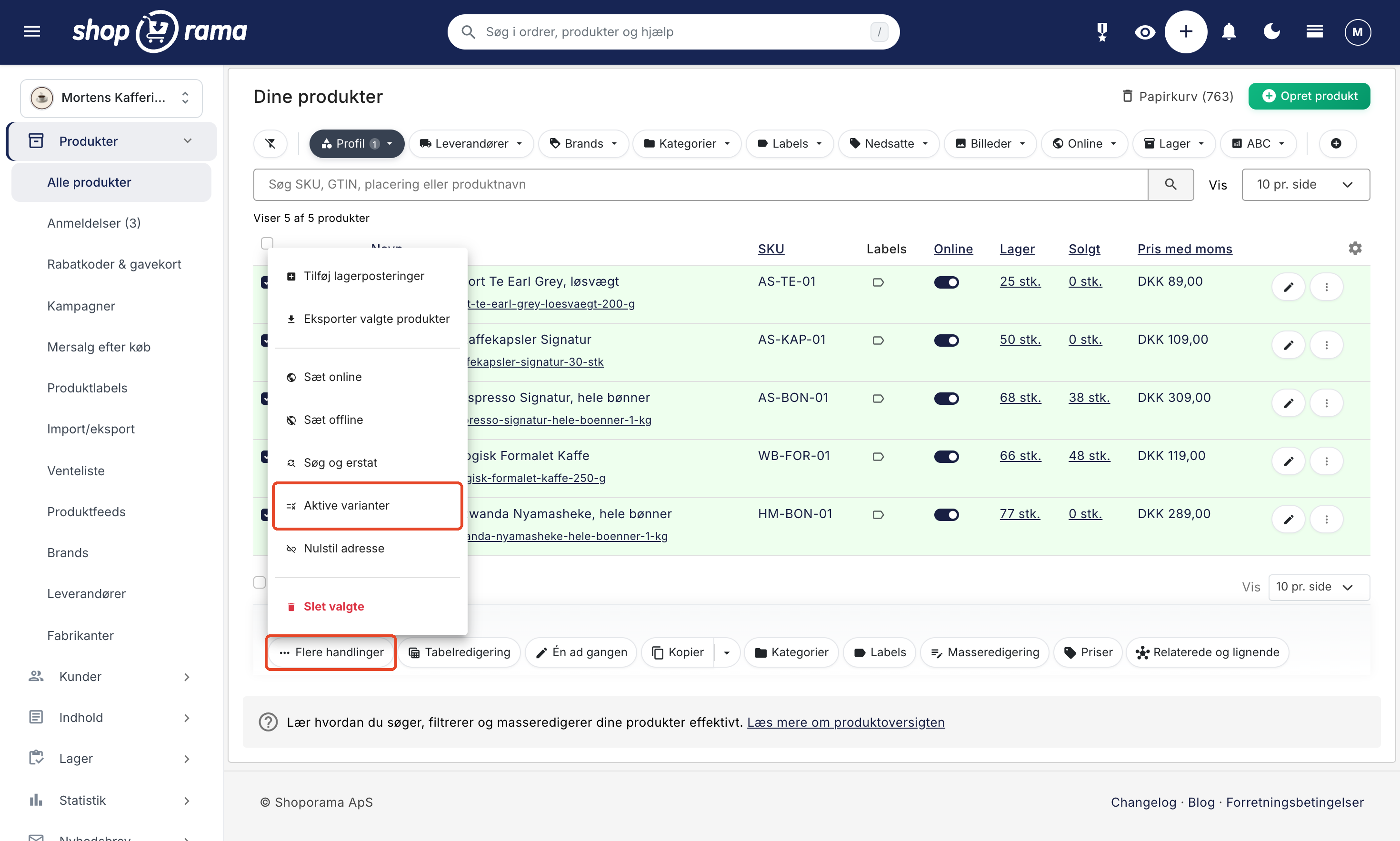
You can select active variants directly on the individual product page. However, if you have many products in a broad product profile, it’s much faster to do this from the product overview. Filter by profile, select the products, and choose “Active Variants ” under “More Actions.”
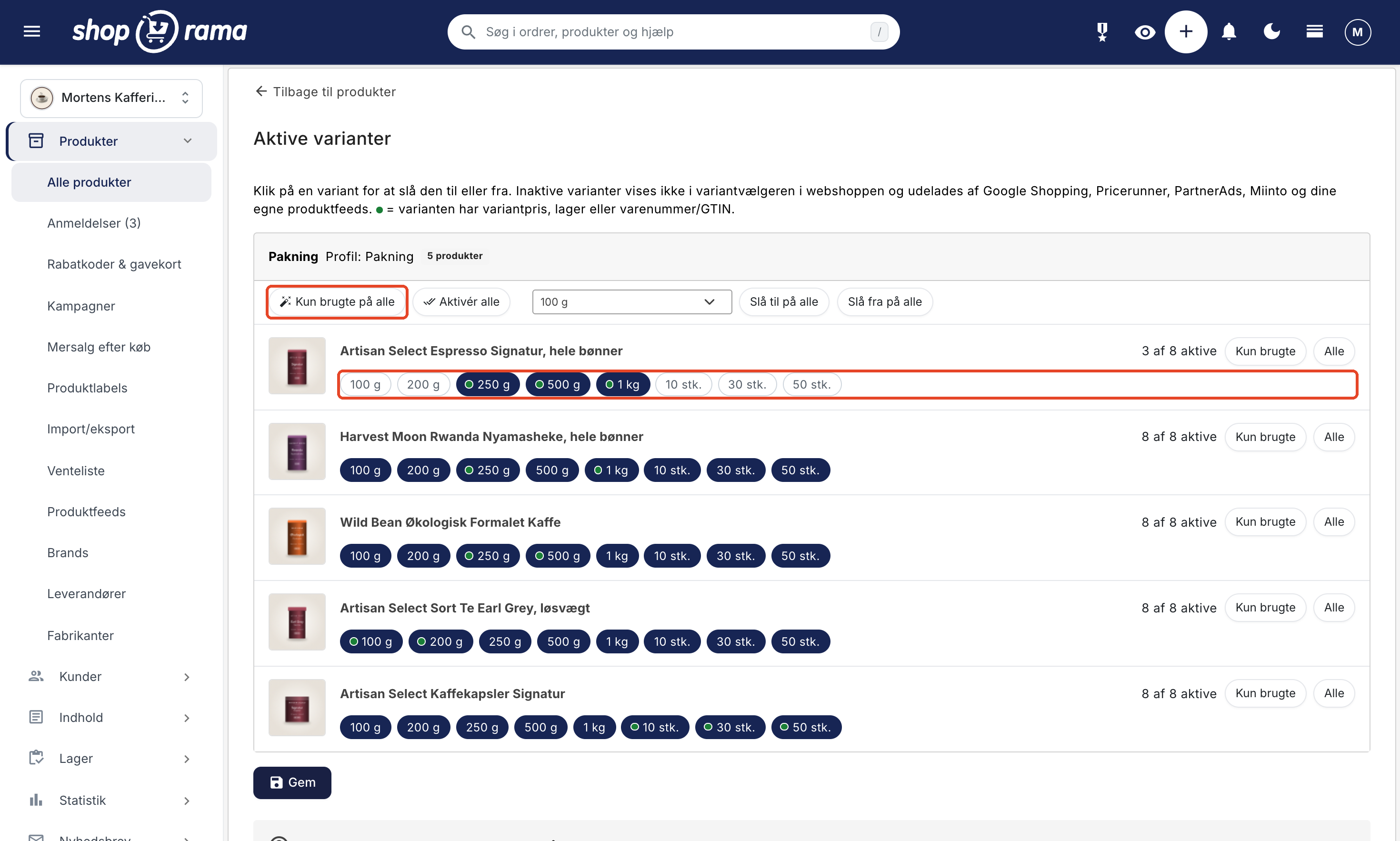
On the Active Variants page, you’ll see all the selected products together, with each variant as a button that you can turn on or off with a single click. A green dot indicates which variants are already in use because they have a variant price, inventory movements, or an item number/GTIN.
If you only need to edit one product, you can also open the page directly from the product’s row in the product overview. Select “Active Variants ” from the menu with the three dots, or add it as an icon in the row under “Customize View.” This option appears only on products with variants, and the “Back to Products ” link takes you back to the same search and page.
Clean up with one click: "Only Active" for All
With “Apply to All,” you keep the variants marked with a green dot on all products in a card and hide the rest. Products without active variants remain unchanged. You can also enable or disable a specific value for all products using “Enable for all ” and “Disable for all.” Nothing is saved until you click “Save,” so feel free to experiment and review the rows first.
Nothing is lost: price, inventory, and item number are retained
When you deactivate a variant, it is not deleted. The variant’s price, inventory, and product number/GTIN are saved, so you can reactivate the variant whenever you need it. This makes active variants an easier alternative to splitting the profile, where you’d have to set the price, inventory, and product number again for all variants.
Here’s how it works
- If you haven’t selected anything, all variants in the profile are active, just as you’re used to.
- If you select a subset, it applies only to that specific product. Other products in the same profile are not affected.
- There must always be at least one active variant for a product.
- Your feeds will be updated automatically for the products you’ve changed. It may take up to a couple of hours for the change to appear in all feeds.
Read the step-by-step guide in the article Active Variants: Choose Which Variants Each Product Uses.