Restrict payment methods to specific countries
Restrict which payment methods are shown in checkout based on the customer's country of delivery.
Hvad er landerestriktion?
Med landerestriktion kan du begrænse hvilke betalingsmetoder der vises for dine kunder baseret på deres leveringsland. Det er nyttigt hvis du fx har betalingsmetoder der kun fungerer i bestemte lande — som MobilePay kun for Danmark eller Klarna kun for Skandinavien.
Sådan opsætter du landerestriktion
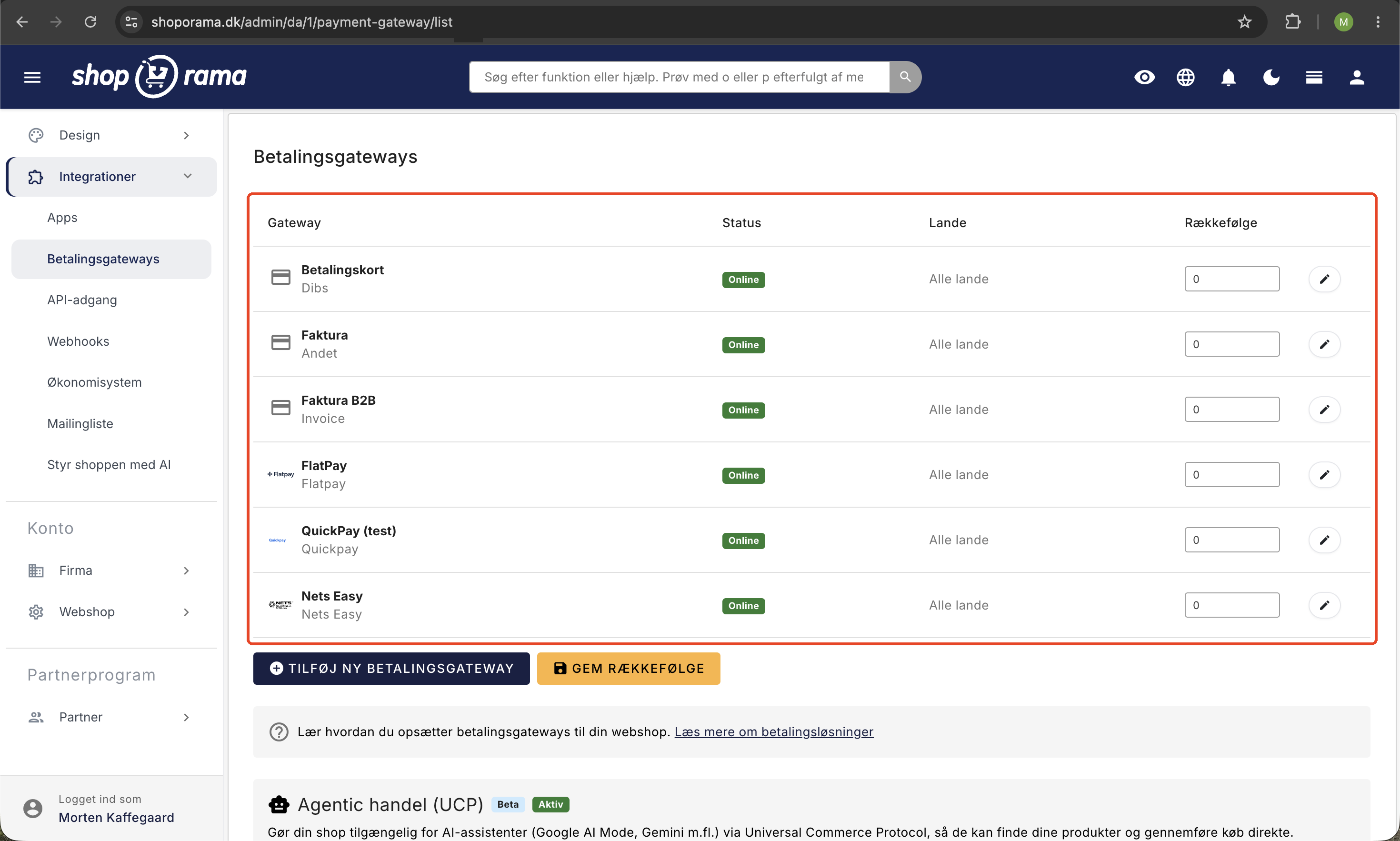
- Gå til Integrationer → Betalingsgateways i admin.
- Klik på den betalingsgateway du vil begrænse.
- I højre sidebar finder du sektionen Landebegrænsning.
- Vælg de lande hvor betalingsmetoden skal være tilgængelig. Hold Ctrl (Windows) eller Cmd (Mac) nede for at vælge flere lande.
- Klik Gem.
Standardadfærd
Hvis du ikke vælger nogen lande, vil betalingsmetoden være tilgængelig i alle lande. Landerestriktion er altså kun aktiv når du eksplicit vælger et eller flere lande.
Hvordan virker det i checkout?
Når kunden vælger et leveringsland under checkout, filtreres betalingsmulighederne automatisk. Kun betalingsmetoder der er tilgængelige for det valgte land vises. Betalingsmetoder uden landerestriktion vises altid.
Eksempel
Du sælger til Danmark, Sverige og Tyskland og har disse betalingsmetoder:
- Kortbetaling (QuickPay) — ingen landerestriktion → vises i alle lande.
- MobilePay — begrænset til Danmark → vises kun for danske kunder.
- Klarna — begrænset til Danmark og Sverige → vises kun for danske og svenske kunder.