SEO in Shoporama
Complete guide to the SEO features in Shoporama - from meta tags and sitemap to Google Shopping and AI Assistant.
Shoporama har et omfattende SEO-system, der hjælper dig med at optimere din webshop til søgemaskiner som Google. Denne artikel gennemgår alle de SEO-funktioner, der er tilgængelige i din shop.
Meta-tags på produkter, kategorier og sider
På alle produkter, kategorier, statiske sider, blogindlæg og landingssider kan du udfylde følgende SEO-felter:
- Meta-titel — Titlen der vises i søgeresultaterne. Anbefalet længde: 50–70 tegn.
- Meta-beskrivelse — Beskrivelsen under titlen i søgeresultaterne. Anbefalet længde: under 160 tegn. Skal være ren tekst uden HTML.
- URL (rewrite URL) — Din egen SEO-venlige URL-slug. Genereres automatisk fra navnet, men kan tilpasses.
- Noindex — Sæt flueben for at forhindre søgemaskiner i at indeksere siden.
- Kanonisk URL — Peger på den "rigtige" version af en side, hvis du har duplikeret indhold.
Google-forhåndsvisning
Når du redigerer et produkt eller en kategori, viser Shoporama en live Google-forhåndsvisning, så du kan se præcis hvordan dit indhold vil se ud i søgeresultaterne — både på desktop og mobil.
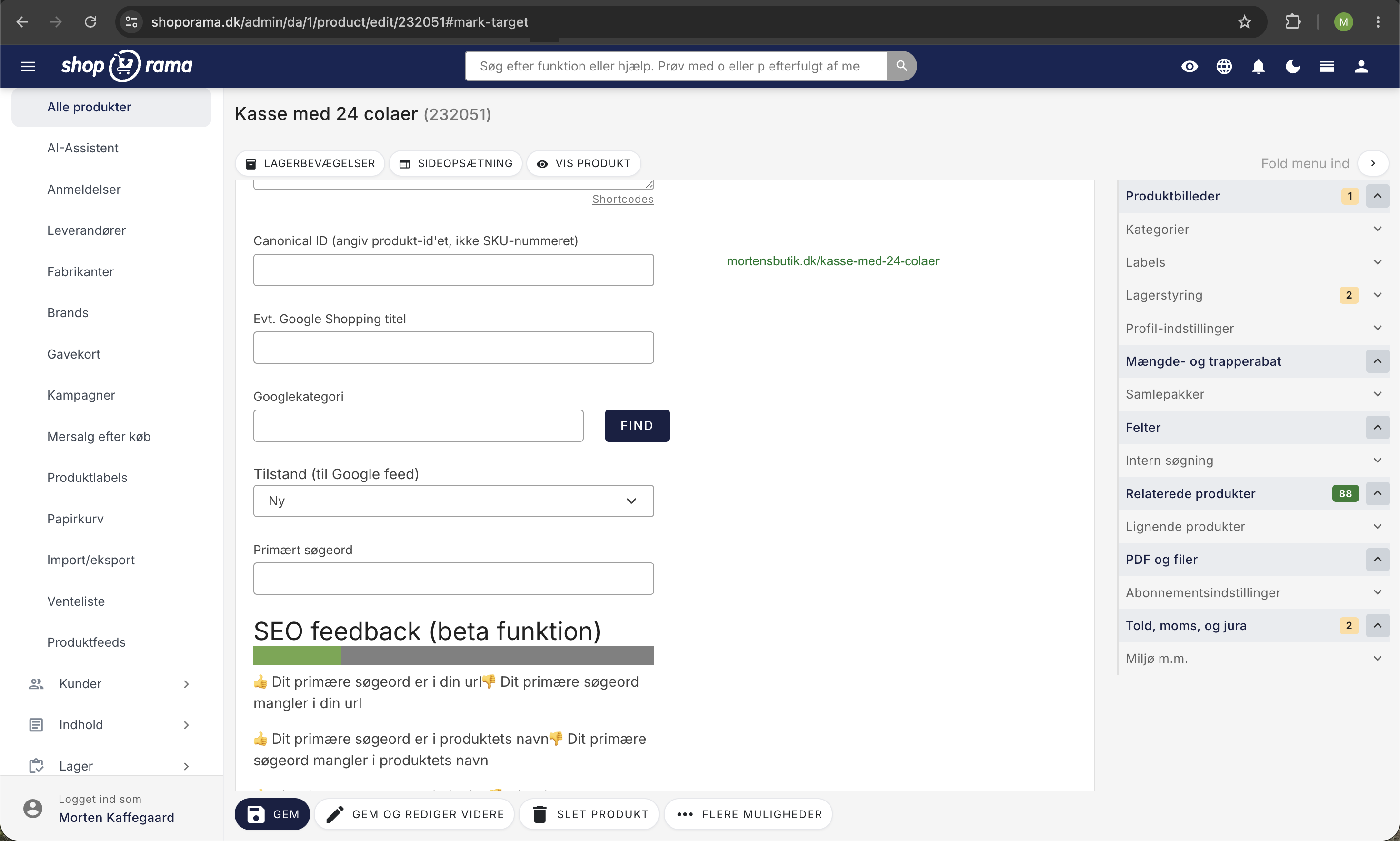
Dynamiske variabler i meta-felter
I meta-titel og meta-beskrivelse på produkter og kategorier kan du bruge disse shortcodes, som automatisk erstattes med de aktuelle værdier:
- [PRICE] — Produktets pris
- [PRICE_EX_VAT] — Pris uden moms
- [NAME] — Produkt-/kategorinavn
- [STOCK] — Lagerbeholdning
- [SUPPLIER] — Leverandør
- [BRAND] — Mærke/brand
- [YEAR] — Indeværende år
- [FREESHIPPING] — Fri fragt-beløb
Eksempel: En meta-titel som Køb [NAME] til kun [PRICE] – Fri fragt over [FREESHIPPING] vil automatisk blive udfyldt med de rigtige værdier for hvert produkt.
XML Sitemap
Shoporama genererer automatisk et XML sitemap på /sitemap.xml. Sitemappet indeholder alle dine online produkter, kategorier, sider, blogindlæg og landingssider, og opdateres løbende.
- Automatisk prioritering: Forsiden har højest prioritet (1.0), fremhævede produkter (0.9), kategorier (0.8), produkter (0.7) og blogindlæg (0.6).
- Ændringsfrekvens: Beregnes automatisk ud fra hvornår indholdet sidst blev ændret.
- Respekterer noindex: Sider markeret med noindex udelades automatisk fra sitemappet.
- Billed-sitemap: Separat /image-sitemap.xml med alle produktbilleder.
Robots.txt
Du kan tilpasse din webshops robots.txt under Webshop-indstillinger. Shoporama blokerer automatisk checkout-sider (kurv, betaling, adresse osv.) fra indeksering, og du kan tilføje dine egne regler.
Open Graph og sociale medier
Til Facebook, LinkedIn og andre sociale platforme kan du sætte Open Graph-tags på dine produkter, kategorier og sider:
- OG-titel — Alternativ titel til deling på sociale medier
- OG-beskrivelse — Alternativ beskrivelse til sociale delingskort
- OG-billede — Vælg hvilket billede der skal bruges ved deling
Google Shopping-kategori
Du kan tildele Google Shopping-kategorier til dine produkter og kategorier. Shoporama har en interaktiv søgefunktion, hvor du nemt kan finde den rigtige Google-kategori. Kategorien bruges bl.a. i dit Google Shopping-feed.
Morningscore-integration
Shoporama har en integration med Morningscore, der giver dig SEO-analyse direkte i din admin. Her kan du se SEO-scores, søgeordsanalyser og anbefalinger til optimering af dine produkter, kategorier og sider.
Intern søgeoptimering
Hvert produkt har et søgeord-felt, hvor du kan tilføje synonymer og alternative søgeord. Disse ord er ikke synlige på produktsiden, men hjælper kunder med at finde produktet via den interne søgefunktion i din shop.
AI-assistent til SEO-tekster
Shoporamas AI-assistent kan hjælpe dig med at skrive meta-titler, meta-beskrivelser og produkttekster. AI-funktionen er tilgængelig direkte i redigeringsformularen på produkter, kategorier og sider.
URL-håndtering og redirects
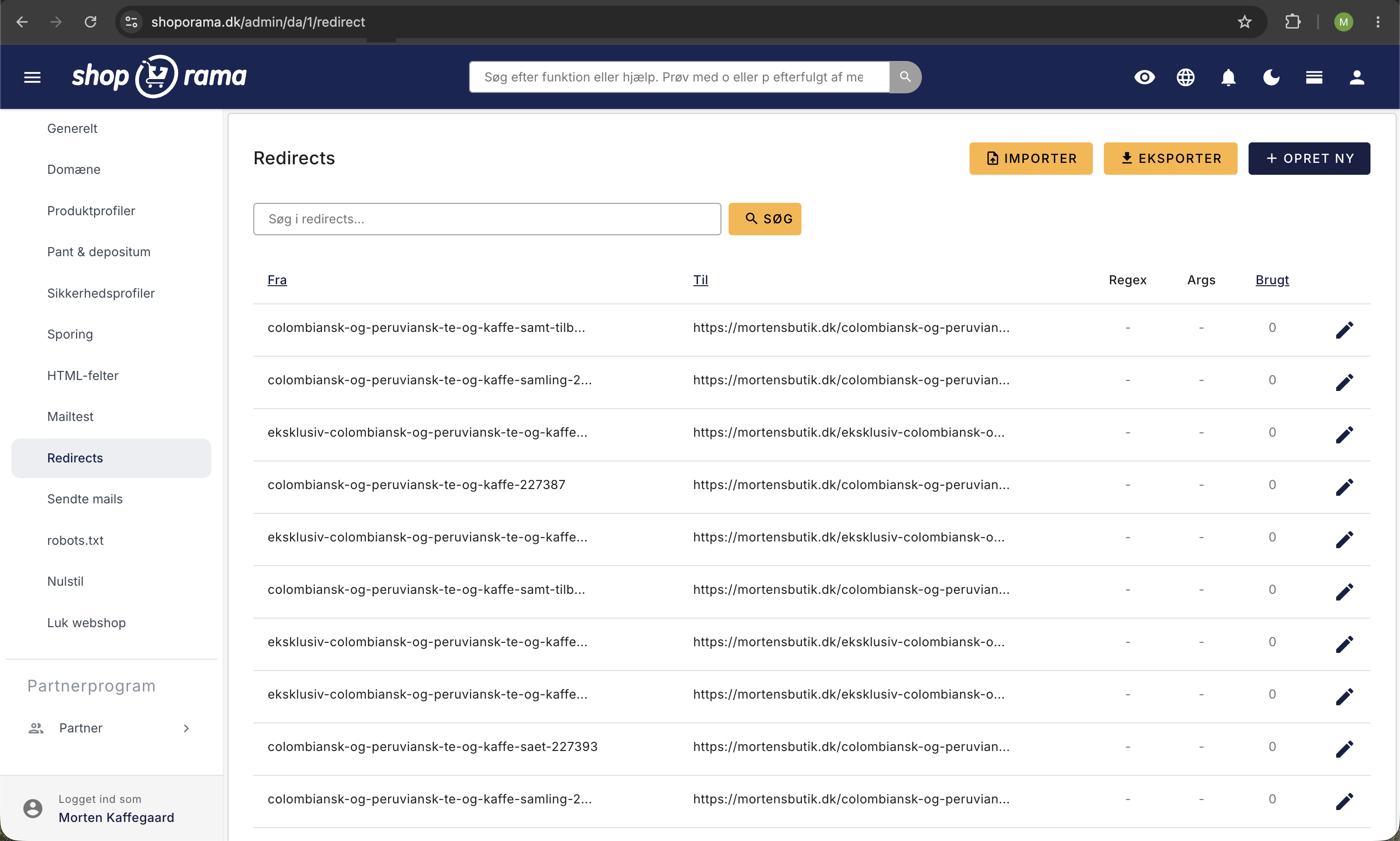
Alle produkter, kategorier og sider har en tilpasselig URL. Hvis du ændrer en URL, gemmer Shoporama automatisk den gamle URL og opretter et 301-redirect, så du ikke mister Google-placeringer. Læs mere i artiklen Den store guide til redirects.
Tips til god SEO
- Udfyld altid meta-titel og meta-beskrivelse på dine vigtigste produkter og kategorier.
- Brug dynamiske variabler som [PRICE] og [NAME] til at gøre dine meta-tekster unikke.
- Hold dine URL'er korte og beskrivende.
- Brug noindex på sider der ikke skal vises i Google (fx takke-sider, filtrerede visninger).
- Tilføj søgeord og synonymer i søgeord-feltet for bedre intern søgning.
- Sæt Open Graph-tags på dine mest delte produkter.
Related articles
Google Analytics 4 (GA4) on your Shoporama online store
How to set up Google Analytics 4 on your Shoporama online store. Built-in GA4 integration with e-commerce events, server-side tracking and Consent...
Implement Pricerunner tracking
Guide to implementing Pricerunner conversion tracking on your Shoporama online shop with proper Smarty code.
Implement tracking in a Shoporama theme
Developer Guide to E-commerce Tracking in a Shoporama Theme: Data Layer, Google Tag Manager, Custom Events, and Correct Product IDs Using...
Related features
SEO in Shoporama - get visible in Google
Shoporama has built-in SEO features: fast speed, full control over titles and meta descriptions, dynamic tags, automatic 301 redirects, XML...
SEO suggestions - Shoporama shows you exactly what you can improve
Shoporama analyzes your online store and provides concrete SEO suggestions. Missing title tags, meta descriptions, GTIN and more.
Start an online store: complete guide to opening your own store
How to start an online shop in 2026: platform, payment, shipping, domain and price. Step-by-step guide. Try Shoporama free for 30 days without a...
Speed is a feature - that's why we've made Shoporama shops lightning fast
We love fast online shops. Everyone does. That's why we've made Shoporama webshops lightning fast. It's good for you, your user and your SEO
Shoporama vs DanDomain
Compare Shoporama and DanDomain on price, speed, AI features and integrations. See which Danish webshop platform is best for your business.
Structured Data - automatic Schema.org markup
Automatic Schema.org markup for products, reviews, breadcrumbs and company info. Rich snippets in Google with stars and awards. Included.
Google Shopping feed is included in your Shoporama shop
Get an automatic Google Shopping feed with all required fields. Included for free in your Shoporama shop. Also Pricerunner and custom feeds.
Webshop with Claude
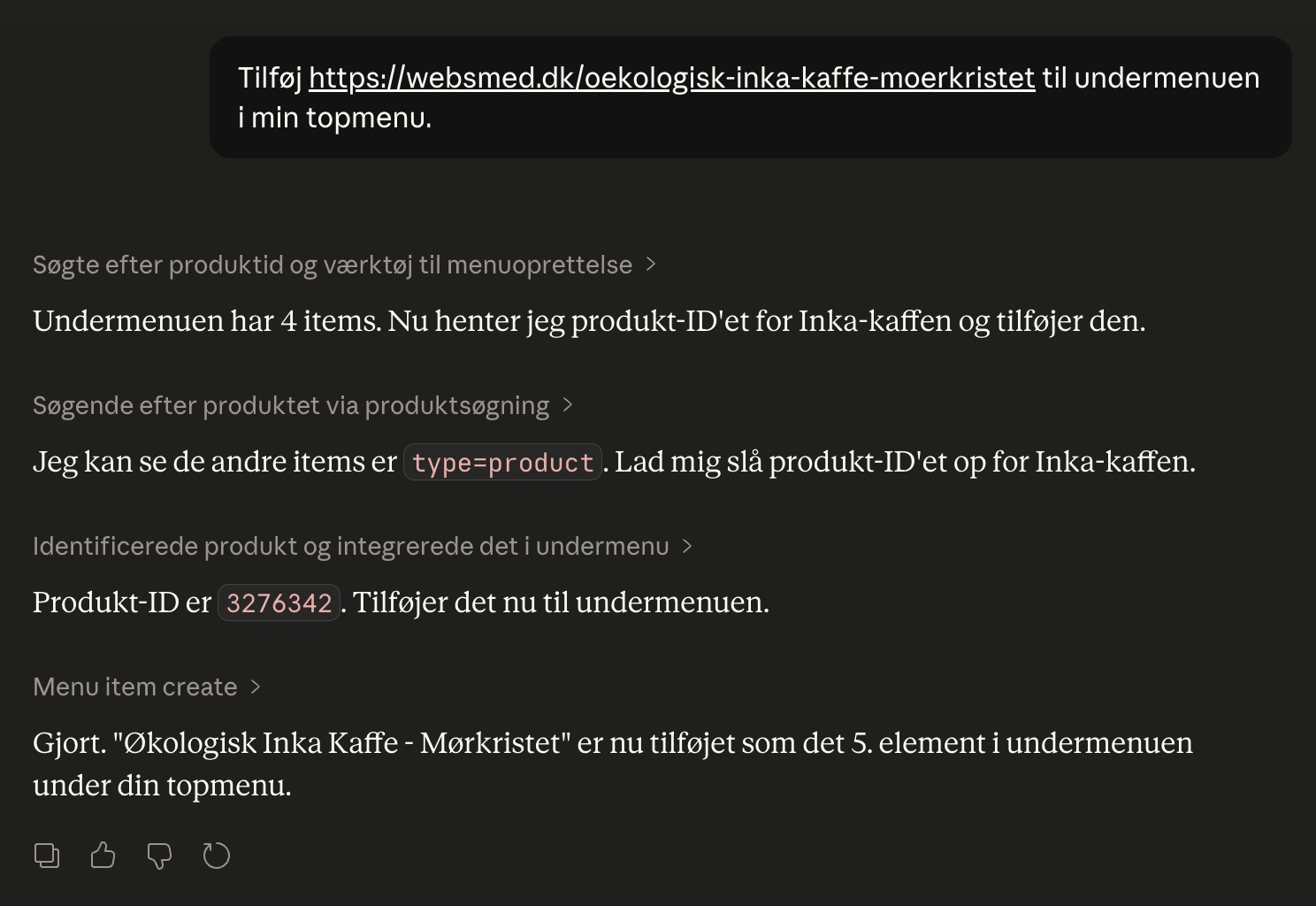
Connect your Shoporama webshop with Claude and manage products, orders, campaigns and designs by typing in Danish. No code, full control, audit log.
Full design freedom - your design, your rules
Design your online store freely with full access to HTML, CSS and templates. Use templates, Page Builder or build from scratch.